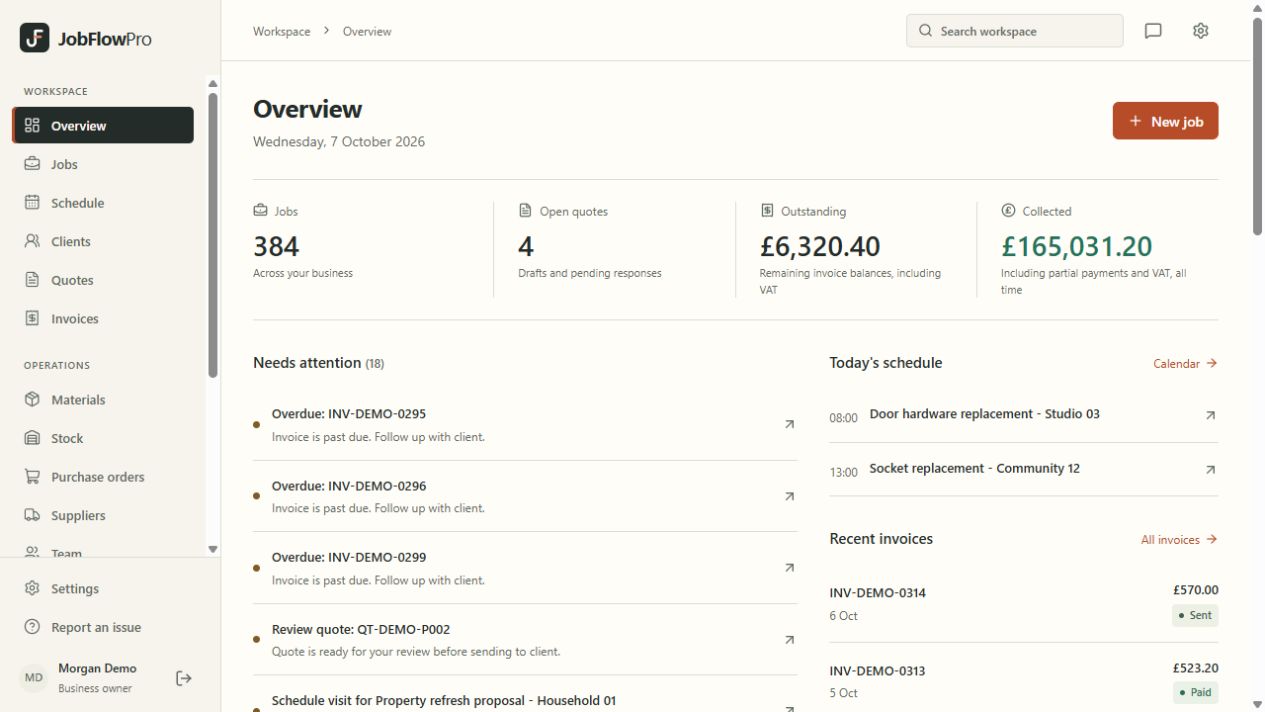
Start with the customer and the site.
A customer can have more than one property, and a property can need more than one visit. Keep contact details and site information alongside the work instead of rebuilding the story from separate messages.
Create the job, describe the work and keep its status current. When someone calls about an appointment or invoice, your business has a shared record to work from.
- Customer and site details linked to jobs
- Descriptions and notes kept with the work
- Job status visible to authorised office users
Connect the office to the next visit.
Use the schedule to organise visits and assign your team. People working on site can open their assigned work in a browser, see the details they need and record job notes.
Individual logins and different user roles help you control access. Engineers can add JobFlowPro to their phone's home screen. Their open jobs and this week's visits still open with no signal, and work notes, finished visits and completed jobs recorded offline send themselves when the signal returns. Photos, quotes, invoices and certificates need a connection.
Keep the paperwork attached to the work.
Prepare a quote and keep the agreed scope available when planning the job. Create invoices and review recorded payments without losing the connection to the original customer and work.
Materials and time records help build the operational picture. Reports are only as complete as the information entered, so check missing records and costs before relying on a total.
A practical first week in JobFlowPro.
Begin with a handful of current jobs. Add the customer and site, record the work, and schedule the next visit. Invite the people who need access using their own logins.
Use those jobs to follow the full workflow: quote, schedule, work notes and invoice. Once the team understands where information belongs, bring across more work.
- Choose a consistent way to name jobs
- Record changes to the agreed scope
- Review open jobs and unpaid invoices regularly