Set out what the customer is buying.
A useful quote starts with a clear description of the work. Record the proposed labour, materials and other items, then check the quantities, prices and tax treatment before sending it.
Keep the quote connected to the customer and job. That gives the office and the people doing the work a place to check what was proposed when a question arises.
- Customer details and job references
- Work descriptions and priced items
- Customer-facing quote links
Let the customer review the document.
Customers can open a quote through the link you send without creating a JobFlowPro account. The quote response stays connected to your record, helping you see which work is ready for the next step.
Treat customer document links as private. Anyone who receives a valid link may be able to see that document, so send it only to the intended recipient. Discuss and record any change to the scope before relying on an earlier acceptance.
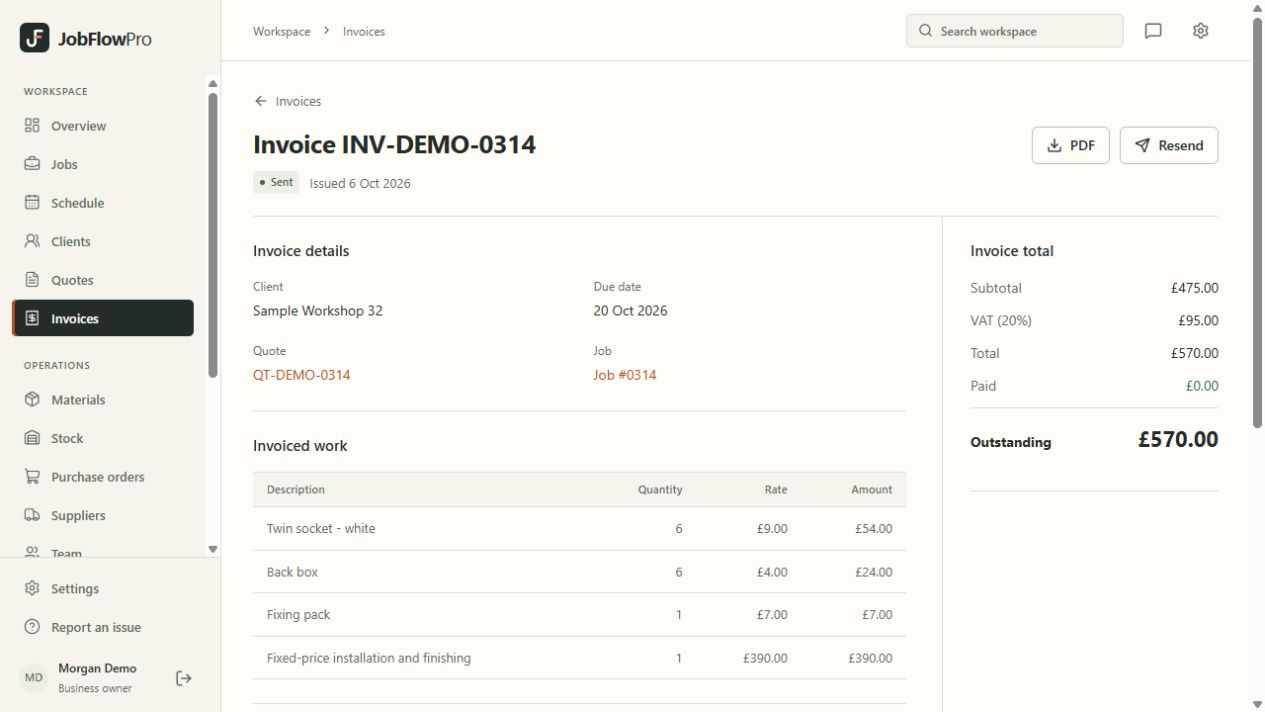
Keep invoicing close to the job.
Create an invoice for the work and keep its line items, payment records and outstanding balance together. Check the document against what was agreed and completed before sending it to your customer.
Payments received outside the app, such as bank transfers or cash, can be recorded against the invoice by an authorised user. Recording a payment and receiving money are separate events: reconcile the record with your own banking information.
Choose how your business gets paid.
Businesses can connect their own Stripe account so customers can pay invoices by card. The money goes straight into that Stripe account; Stripe’s card fees apply to each payment and JobFlowPro adds no fee of its own. Stripe checks each business before card payments start.
You remain the supplier of the trade work and are responsible for the customer relationship, tax treatment, refunds and disputes. JobFlowPro helps keep the records together; it does not guarantee that an invoice will be paid.